
The Quint Education app puts your work with us in one place. Sign up, upload your documents, set when you're free and submit timesheets without paperwork or phone tag.
Free for iPhone and Android.
Can't use the app? Register online instead · See current jobs
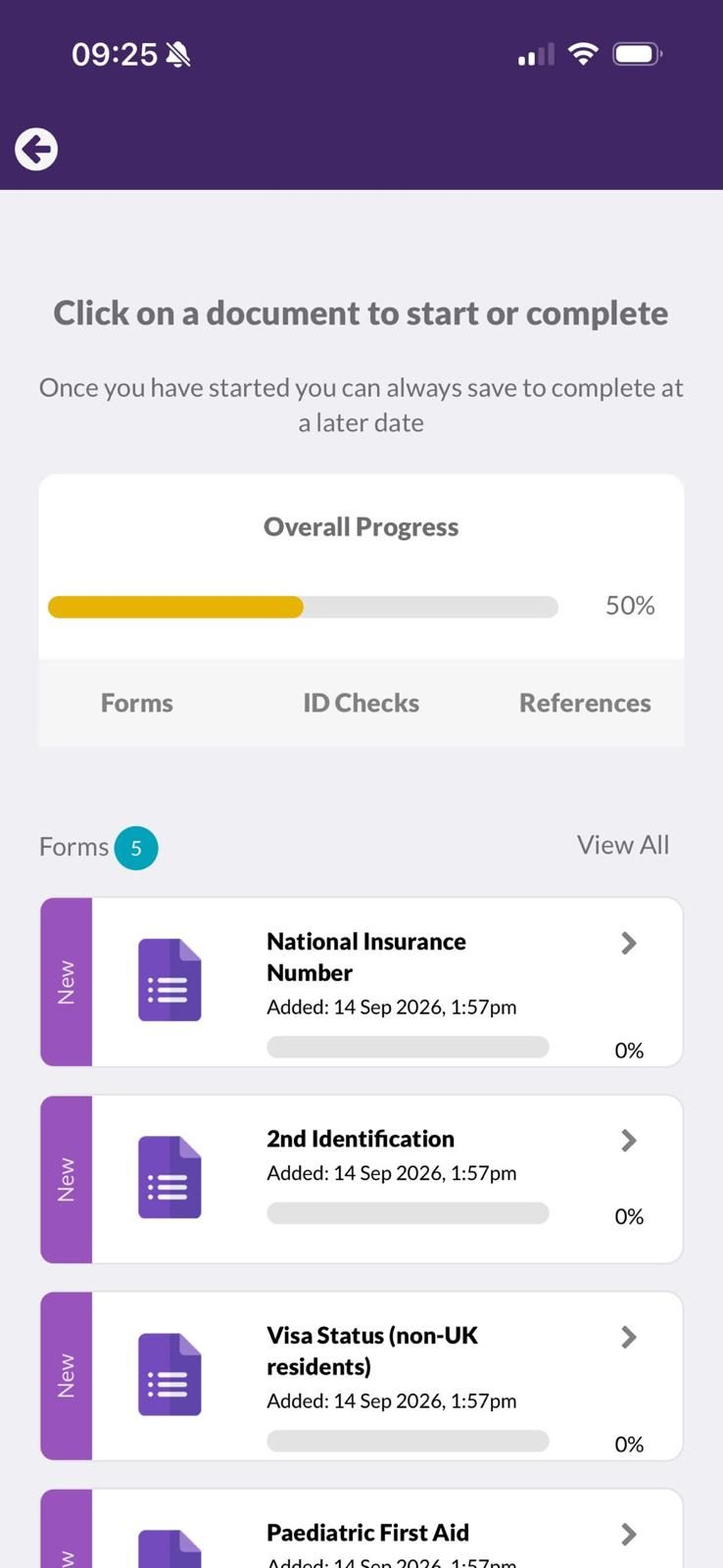
Create your profile, add your qualifications and upload your documents straight from the app, so you're cleared for work sooner.
Once you're placed, complete and track every timesheet in the app. No paper forms and no chasing emails, with reliable weekly pay.
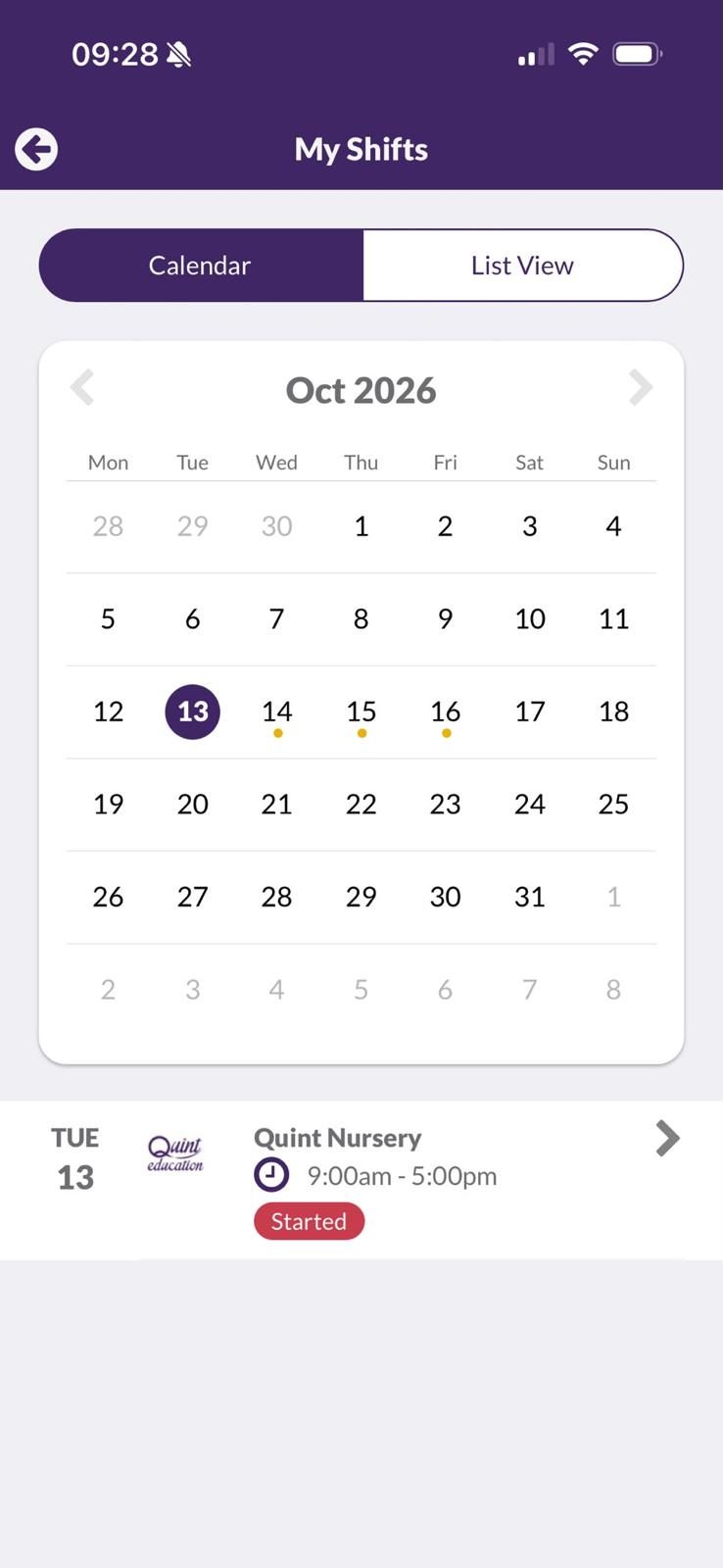
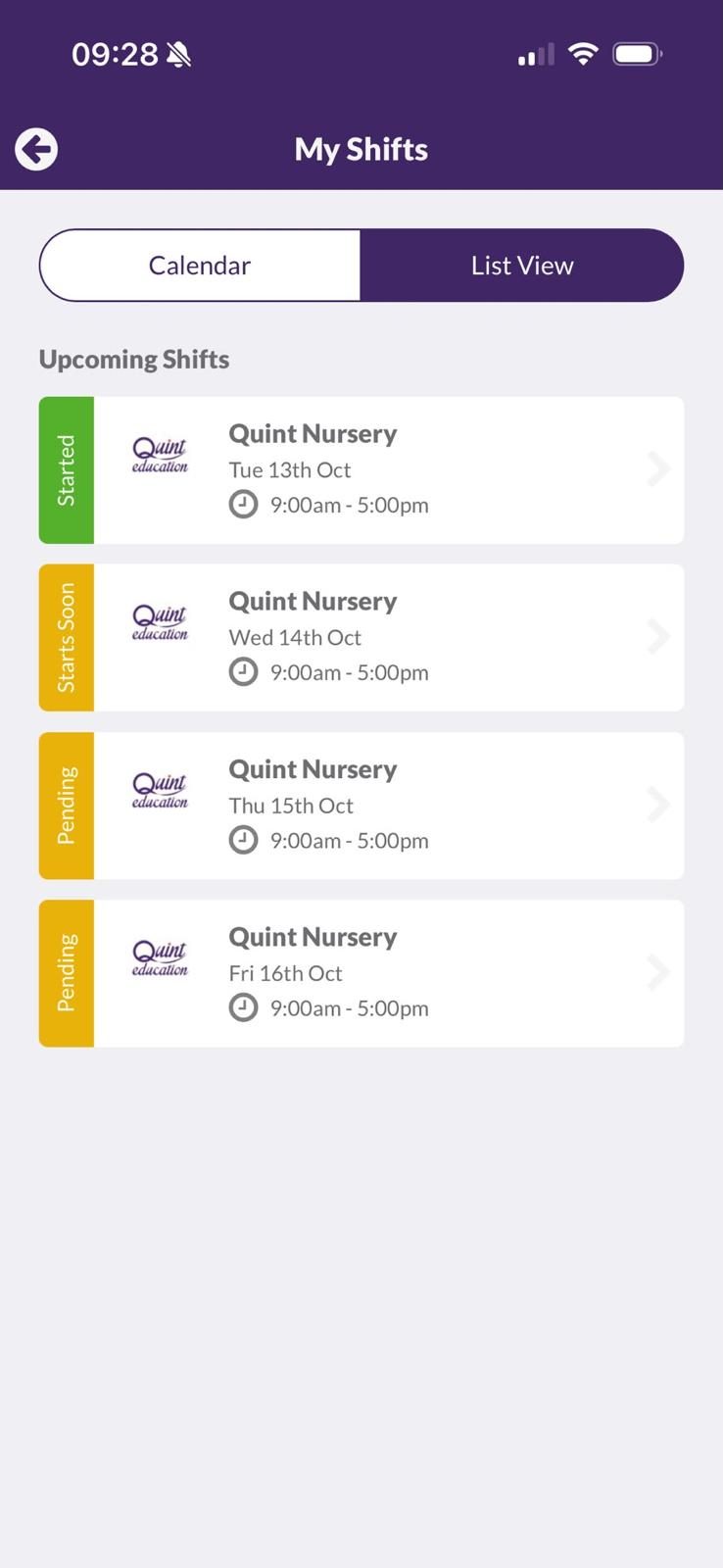
Check shifts on the bus, update your availability between sessions and hear about new roles the moment they come in.
The same four tiles you'll see when you open it.
Start your registration in minutes and keep your ID, qualifications and DBS details up to date in one secure place.
Tell us when you can work and see the temporary and permanent roles matched to your qualifications, experience and location.
Know a great early years practitioner? Refer them from the app and receive a £50 gift card when they start working with us.
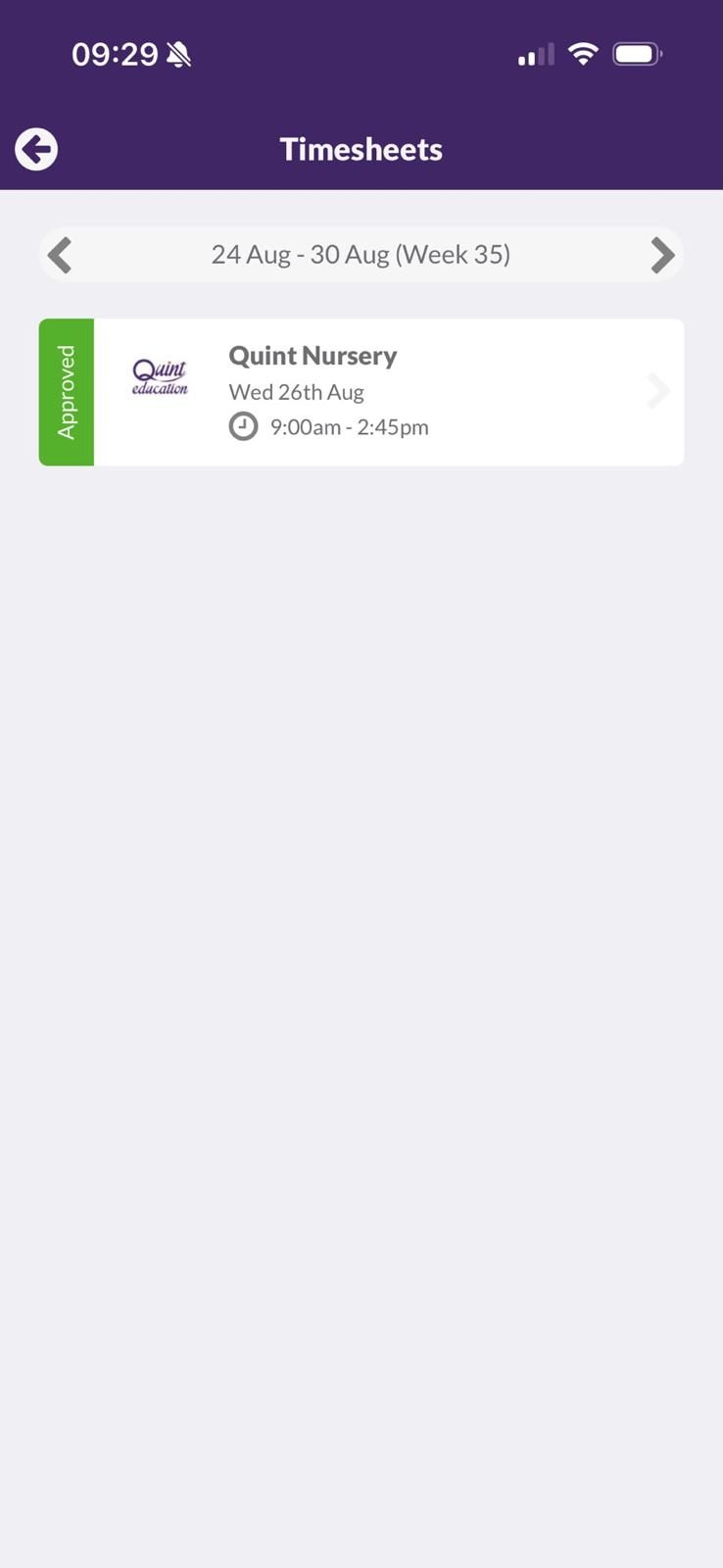
Submit your hours after each placement and see what's been sent and approved, all from your phone.
Real screen recordings from the Quint Education app. This is exactly what you'll use once you're registered.
👆 Swipe left or tap the arrows to watch all 3 videos
A look inside
Point your phone's camera at the code for your device and it will open the right store.
Real Google reviews from the nursery staff and settings we work with.
Yes. It's free to download on the App Store and Google Play, and free to use.
Anyone who works, or wants to work, with Quint Education: nursery practitioners, room leaders, managers, nursery cooks, SEN support staff and playworkers.
Yes. Once you're placed, the app is where you manage your availability and complete your timesheets, so it's the quickest way to stay booked and get paid on time.
After each placement, open Timesheets, enter your hours and submit. You can see which timesheets have been sent and approved, and pay is weekly.
Your data is encrypted when it's sent, isn't shared with third parties, and you can ask us to delete it at any time. See our privacy policy.
Message your consultant in the app, email info@quinteducation.co.uk or call us on 020 7118 8994.
Yes. Add your referees’ details in the app and we contact them and chase the references for you, so you don’t have to.
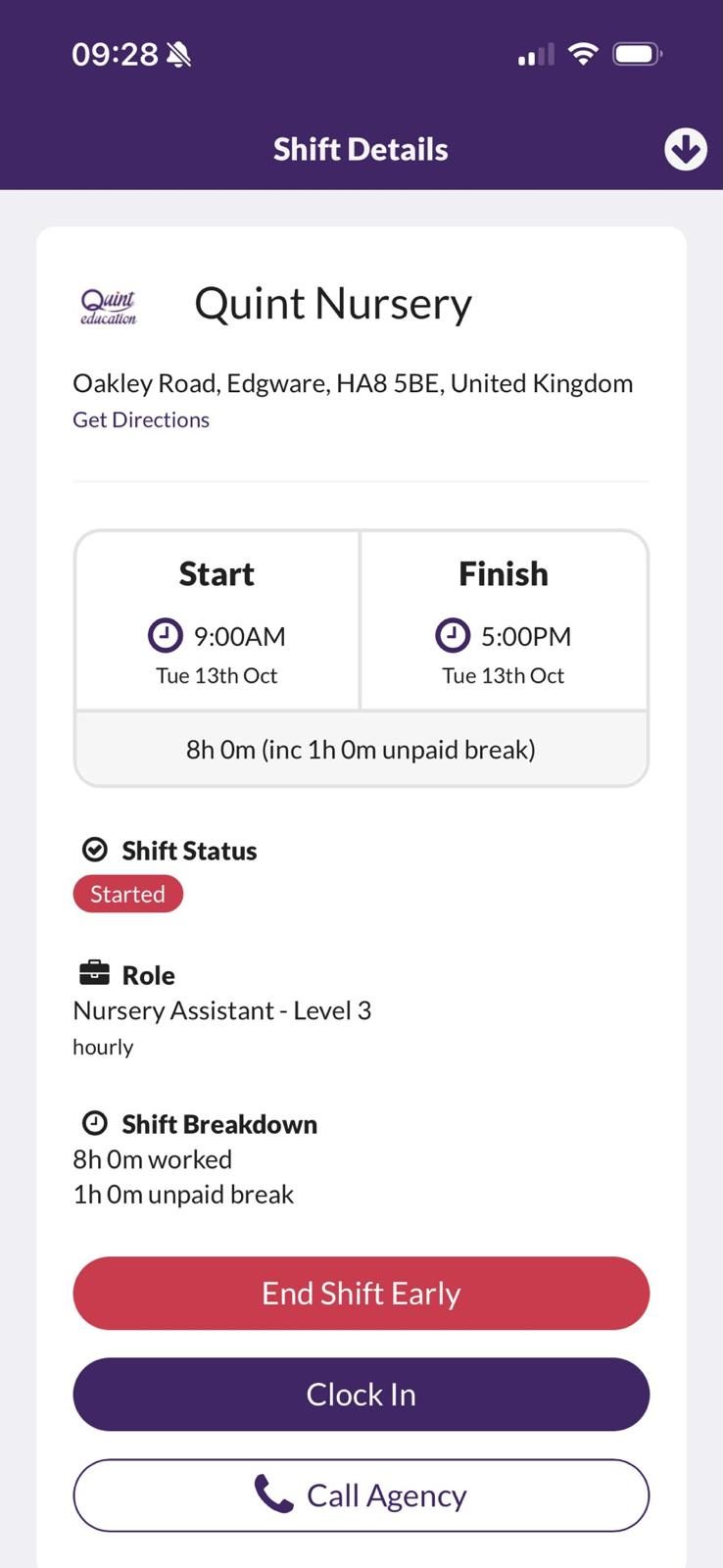
Open today’s shift in the app and tap Clock In when you arrive, then Clock Out when you leave. The shift details show your times, address, role and breaks, and you can call us with one tap.
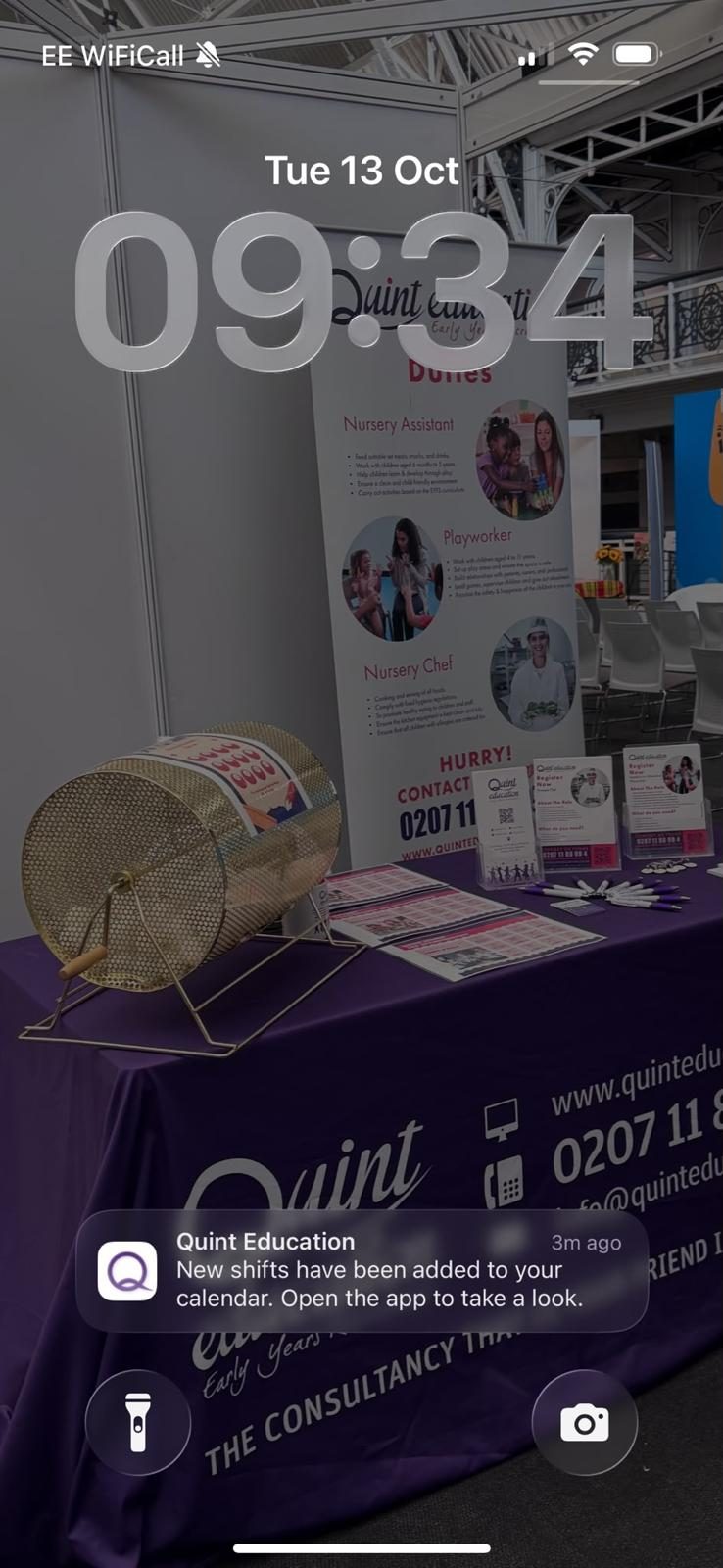
Yes. When new shifts are added to your calendar the app sends you a notification, so you can check and confirm them straight away.
Download the Quint Education app and finish your registration today.
Questions first? Call us on 020 7118 8994 or register online.
To provide the best experiences, we use technologies like cookies to store and/or access device information. Cookies are used for ads personalisation. Consenting to these technologies will allow us to process data such as browsing behaviour or unique IDs on this site. Not consenting or withdrawing consent, may adversely affect certain features and functions. Click here to access privacy policy